 Pay4SaaS
Auto Sitemap & Robots
Sitemap tells search engines which pages you have, speeding up indexing. robots.txt tells crawlers which pages they can access and points them to the Sitemap URL.
Pay4SaaS includes a fully automated sitemap (app/sitemap.ts) and robots.txt (app/robots.ts). No configuration or manual maintenance is needed — just deploy and it works.
What Gets Included
The sitemap automatically scans and includes:
| Page Type | Source | URL Pattern | Priority |
|---|---|---|---|
| Homepage | app/page.tsx | / | 1.0 |
| Pricing | app/pricing/page.tsx | /pricing (excluded in lifetime mode) | 0.8 |
| Privacy & Terms | app/privacy/, app/terms/ | /privacy, /terms | 0.2 |
| Docs (EN) | content/docs/**/*.mdx | /docs/{slug} | 0.6 |
| Docs (CN) | content/docs/**/*.cn.mdx | /cn/docs/{slug} | 0.6 |
| Blog (EN) | content/blog/*.mdx | /blog/{slug} | 0.6 |
| Blog (CN) | content/blog/*.cn.mdx | /cn/blog/{slug} | 0.6 |
Every time you add a new doc or blog post, the sitemap updates automatically at build time.
For docs, the logic is simple: at build time, it checks whether the content/docs/ directory exists. If it exists, all .mdx files inside are recursively scanned and added to the sitemap. If it does not exist, it is skipped. So if you do not need the docs feature, just delete the content/docs/ folder and the sitemap will automatically ignore it.
How lastModified Works
Instead of using new Date() (which would make Google think every page updates constantly), the sitemap reads each file's last Git commit time via git log.
This means:
- Only pages you actually changed get fresh timestamps
- Google knows which pages to re-crawl and which to skip
- Crawl budget is spent efficiently
robots.txt Behavior
The app/robots.ts generates different rules depending on site mode:
Primary site (default):
User-agent: *
Allow: /
Sitemap: https://yourdomain.com/sitemap.xml
Secondary site (NEXT_PUBLIC_LOCALE_SITE=cn):
User-agent: *
Disallow: /
Secondary sites block all crawlers to avoid duplicate content issues with search engines. Only the primary site gets indexed. The secondary site exists to serve local payment methods (e.g. Alipay) and spread operational risk — it does not need to be indexed.
How to Verify
After deployment, check these URLs:
https://yourdomain.com/sitemap.xml— should list all your pageshttps://yourdomain.com/robots.txt— should showAllow: /and the sitemap URL
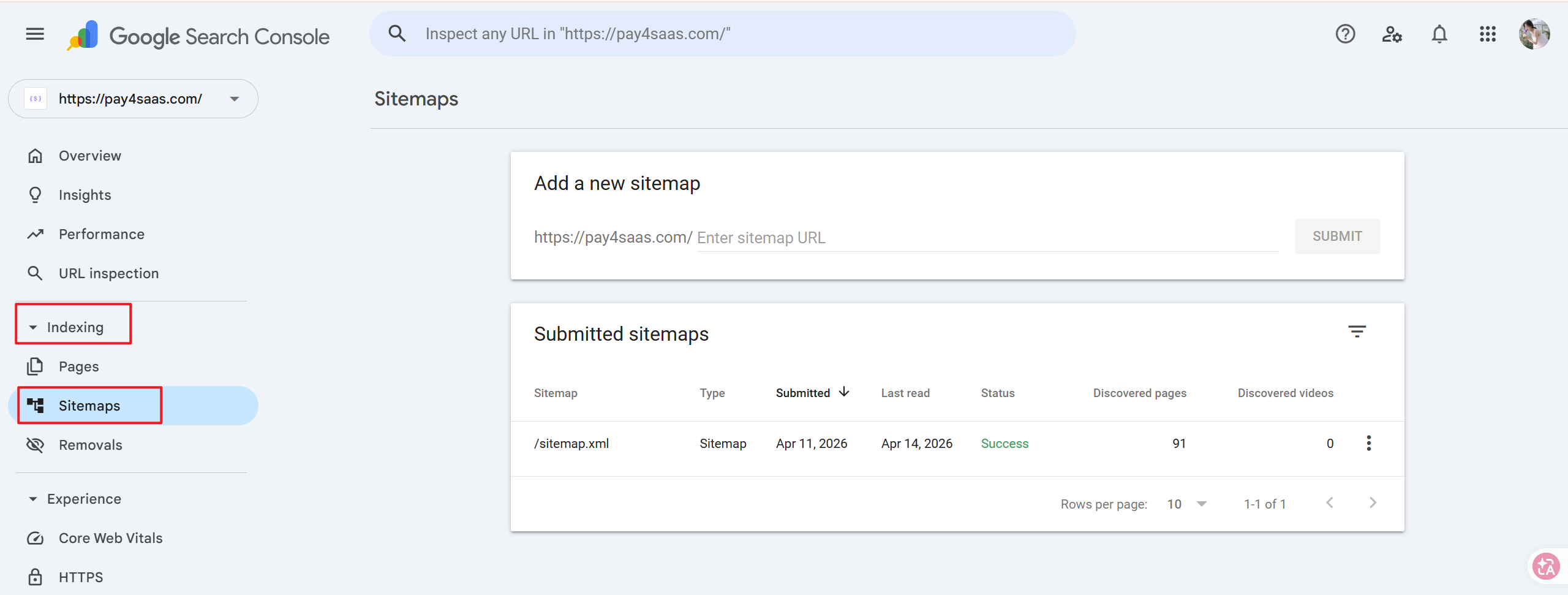
Then submit the sitemap in Google Search Console → Indexing → Sitemaps.
Customization
Exclude a page from sitemap
The sitemap only includes pages from app/sitemap.ts's staticPages array and content from content/docs/ and content/blog/. Private routes like /dashboard, /login, /api/* are never included.
To exclude a specific static page, remove it from the staticPages array in app/sitemap.ts.
Change priority or frequency
Edit the values directly in app/sitemap.ts:
const staticPages = [
  { url: '/', file: 'app/page.tsx', priority: 1.0, changeFrequency: 'daily' },
  { url: '/pricing', file: 'app/pricing/page.tsx', priority: 0.8, changeFrequency: 'monthly' },
  // ...
]
For docs and blog posts, the defaults are priority: 0.6 and changeFrequency: 'weekly'. Adjust them in the getContentPages() function if needed.
Docs home
Return to the full implementation guide.
Pricing
Review subscriptions, credits, and lifetime options.
Blog
Read more notes on SaaS payments and growth.