 Pay4SaaS
Pricing Models
Pay4SaaS includes 4 built-in pricing models that can be switched with a single environment variable — no code changes needed.
Overview
| Mode | Env Value | Use Case | How Users Pay |
|---|---|---|---|
| Credits | credits | Pay-per-use tools | Buy credit packs, purchase more when used up |
| Unlimited Sub | subscription_unlimited | Standard SaaS subscription | Monthly/yearly subscription, unlimited usage |
| Quota Sub | subscription_quota | SaaS with usage control | Subscribe for monthly quota + buy extra credits |
| Lifetime | lifetime | One-time purchase products | Pay once, use forever |
Switching Modes
Set in .env.local:
NEXT_PUBLIC_PRICING_MODEL=creditsAvailable values: credits, subscription_unlimited, subscription_quota, lifetime.
After changing, restart the project. The pricing page, checkout flow, and access control will all adapt automatically.
Mode 1: Credits
Dual credits system: purchased credits never expire, bonus credits expire per batch (default 30 days). Each service use deducts 1 credit, with consumption priority: bonus credits → purchased credits.
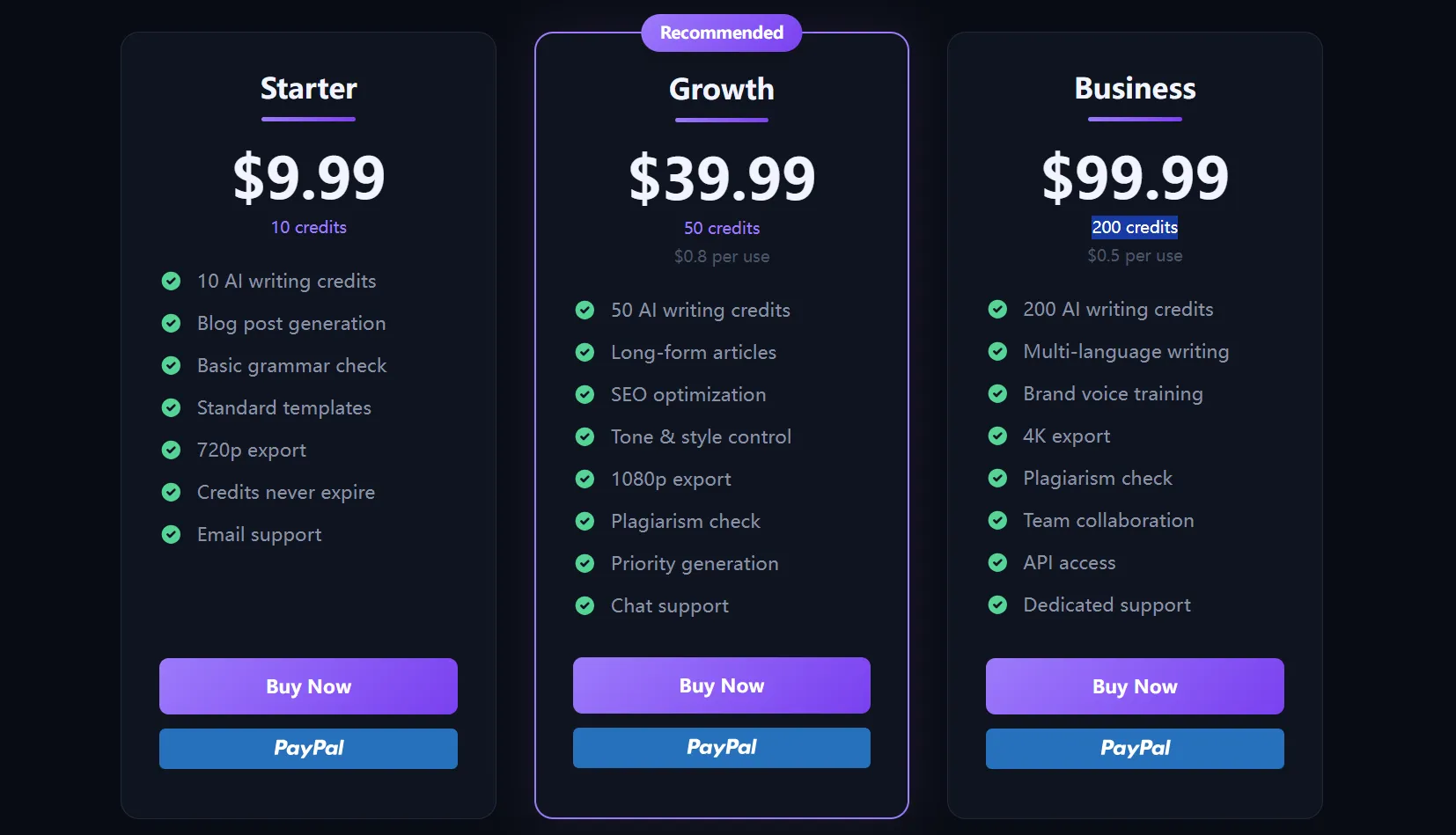
Best for: AI tools, image generation, API calls, and other pay-per-use scenarios.
Configure Credit Packages
Configure in PACKAGES in config/payment.ts.
For bilingual sites, reference locale entries with featureKeys:
export const PACKAGES = {
  basic: {
    credits: 10,
    amount: 9.99,
    amountCNY: 29,
    name: 'Starter',
    description: 'Perfect for casual writers',
    featureKeys: [
      'pricing.packages.basic.feature1',
      'pricing.packages.basic.feature2'
    ],
    recommended: false
  }
}
For single-language sites, write the display copy directly in the package with features:
features: ['10 AI writing credits', 'Blog post generation']Key points:
- Supports 2–4 credit packages, keys are fixed as
basic,pro,max,ultra— do not modify - Use either
featureKeysorfeaturesfor each package, not both - Use
featureKeysfor bilingual sites and translate the same keys inlocales/en.tsandlocales/zh.ts - Use
featuresfor single-language sites when you want the copy directly inconfig/payment.ts - Comment out the key for any package you don't need
- Domestic site will automatically use the
amountCNYprice
Mode 2: Unlimited Subscription
Users subscribe monthly or yearly with unlimited usage during the subscription period. Supports trial periods.
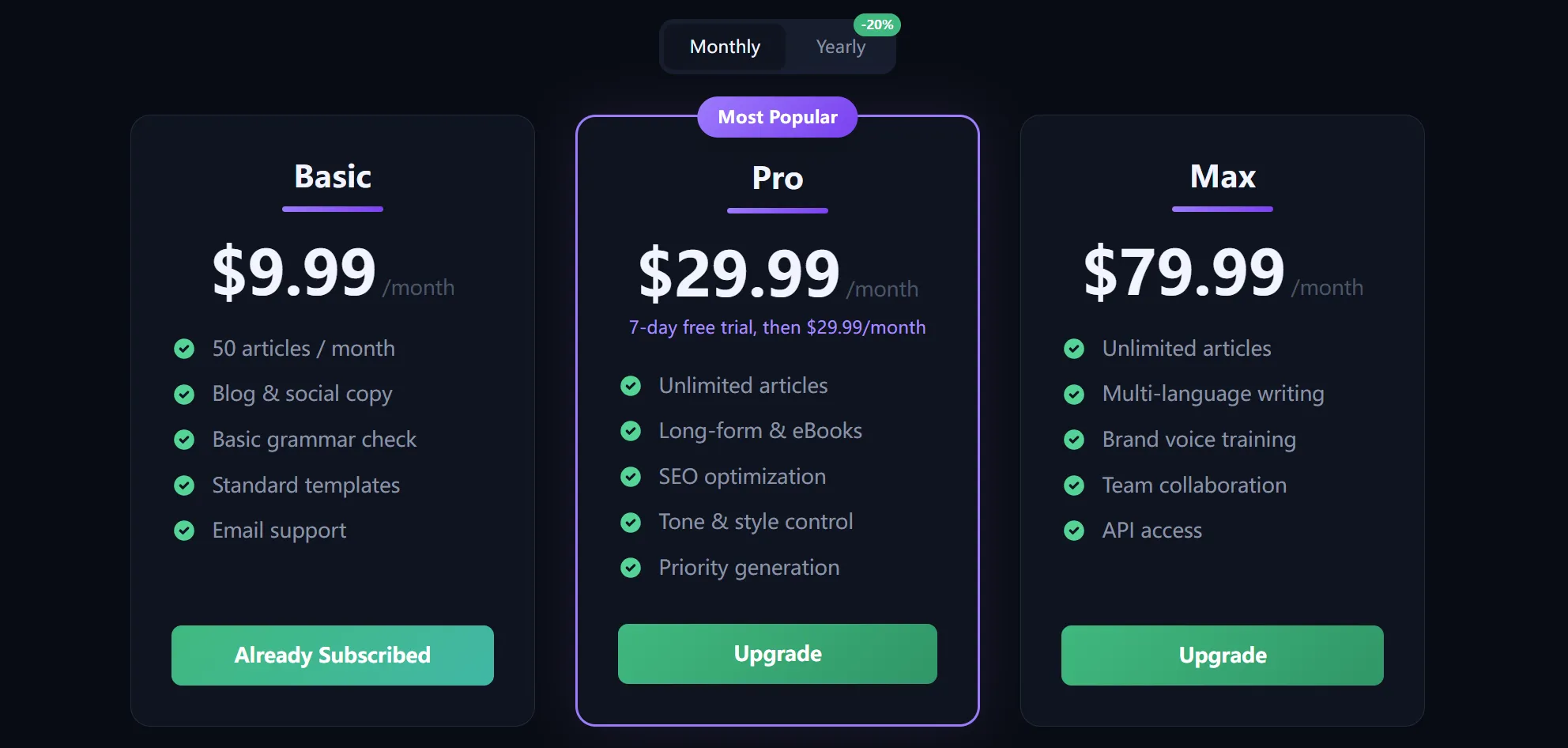
Best for: Standard SaaS products that don't need granular usage control.
Configure Subscription Plans
Configure in SUBSCRIPTION_PLANS in config/payment.ts.
For bilingual sites, reference locale entries with featureKeys:
export const SUBSCRIPTION_PLANS = {
  basic: {
    priceMonthly: 9.99,
    priceYearly: 99.99,
    priceMonthlyCNY: 29,
    priceYearlyCNY: 299,
    name: 'Basic',
    featureKeys: [
      'pricing.subscriptions.basic.feature1',
      'pricing.subscriptions.basic.feature2'
    ],
    recommended: false
  }
}
For single-language sites, write the display copy directly in the plan with features:
features: ['50 articles / month', 'Email support']Key points:
- Supports 2–4 subscription plans, keys are fixed as
basic,pro,max,ultra— do not modify - Use either
featureKeysorfeaturesfor each plan, not both - Use
featureKeysfor bilingual sites and translate the same keys inlocales/en.tsandlocales/zh.ts - Use
featuresfor single-language sites when you want the copy directly inconfig/payment.ts
Configure Trial Period
export const SUBSCRIPTION_UNLIMITED_CONFIG = {
  trialDays: 7, // Trial days
  trialPlan: 'pro' as SubscriptionPlan // Plan that supports trial
}
Each user can only trial once — the system tracks this automatically. By default, only the pro plan supports trial — this is industry standard: let users try the premium tier for free, and after experiencing the better features, they're more likely to convert.
Configure Access Grace Period After Payment Failure
SUBSCRIPTION_PAYMENT_FAILURE_ACCESS_GRACE_PERIOD_DAYS configures the access grace period after a subscription payment failure. It applies to both subscription_unlimited and subscription_quota modes.
export const SUBSCRIPTION_PAYMENT_FAILURE_ACCESS_GRACE_PERIOD_DAYS = 3When a renewal payment fails and the subscription enters a recoverable state such as past_due, the system keeps membership access for a short period after the current billing period ends. The default value is 3, which means Pay4SaaS keeps membership access for 3 days.
Payment providers may have their own retry policies, and the retry window can vary by provider. This setting does not control the provider retry schedule. It only controls how long Pay4SaaS keeps local membership access after a payment failure. After the grace period ends, if the subscription has not recovered, the local subscription status is finalized as unpaid and the user loses subscription membership access. This setting does not change plan prices, trial days, quota amounts, or credit deduction rules.
Mode 3: Quota Subscription
Triple credits system: subscription quota resets monthly, bonus credits expire per batch (default 30 days), purchased credits never expire. When quota runs out, users can buy extra credit packs to continue. Consumption priority: subscription quota → bonus credits → purchased credits.
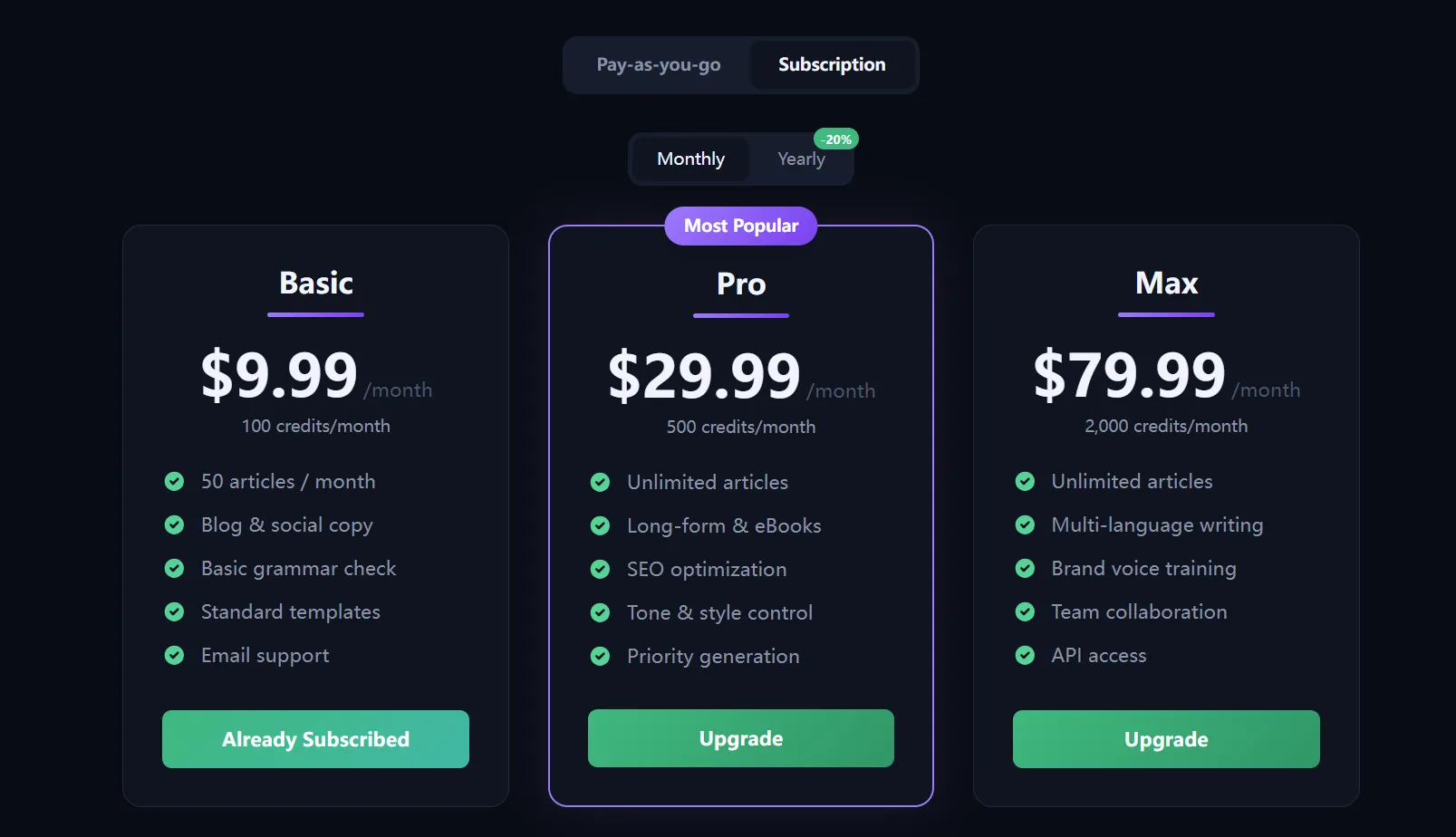
Best for: SaaS products that need usage control with flexibility, like Claude Pro's model.
Configuration
Quota Subscription uses both SUBSCRIPTION_PLANS and PACKAGES:
- The
quotafield inSUBSCRIPTION_PLANSdefines the monthly quota PACKAGESdefines the extra credit packs available for purchase
// In SUBSCRIPTION_PLANS
pro: {
  priceMonthly: 29.99,
  priceYearly: 299.99,
  name: 'Pro',
  quota: 500,          // Monthly subscribers get 500 uses/month
  quotaYearly: 750,    // Yearly subscribers get 750 uses/month (yearly perk)
  // ...
}
Mode 4: Lifetime
Users pay once and own it forever with unlimited usage.
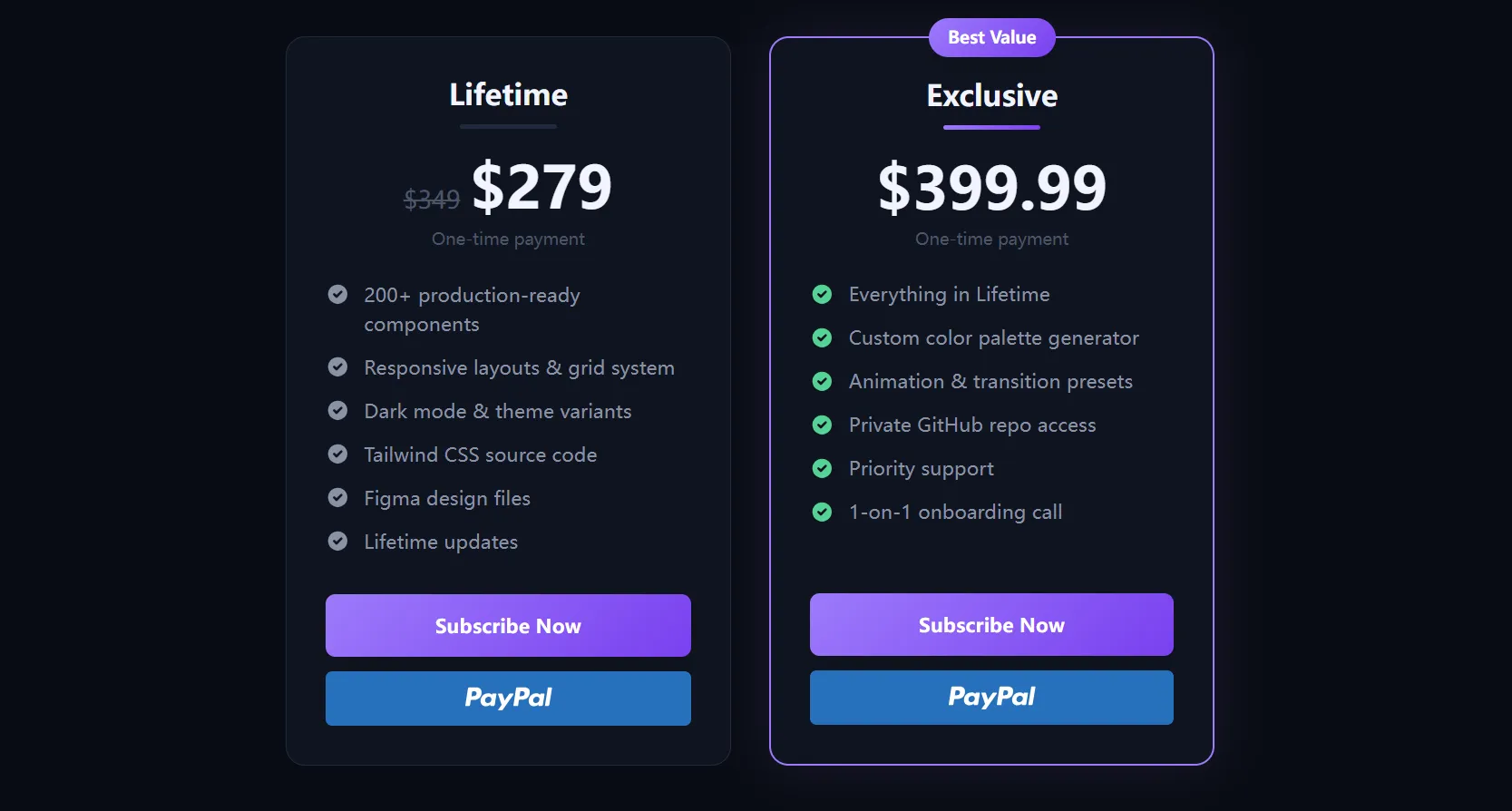
Best for: UI component libraries, templates, toolkits, and other one-time delivery products.
Configure Lifetime Plans
Configure in LIFETIME_PLANS in config/payment.ts.
For bilingual sites, keep display copy in locale files and reference it with featureKeys:
export const LIFETIME_PLANS = {
  standard: {
    price: 279, // USD price
    priceCNY: 1699, // CNY price
    originalPrice: 349, // Original price for strikethrough display
    originalPriceCNY: 1999,
    name: 'Lifetime',
    featureKeys: [
      'pricing.include1',
      'pricing.include2',
      'pricing.include3'
    ],
    recommended: false
  }
}
Then add the same keys to locales/en.ts and locales/zh.ts, with each value translated in that file.
For single-language sites, write the display copy directly in the plan with features:
export const LIFETIME_PLANS = {
  standard: {
    price: 279,
    originalPrice: 349,
    name: 'Lifetime',
    features: ['200+ components', 'Lifetime updates', 'Priority support'],
    recommended: false
  }
}
Key points:
- Supports 1–3 lifetime plans, keys are fixed as
standard,exclusive,ultimate— do not modify - Use either
featureKeysorfeaturesfor a lifetime plan, not both featureKeysis better for bilingual sites because the visible text stays inlocales/en.tsandlocales/zh.tsfeaturesis simpler for single-language sites because the visible text is configured directly inconfig/payment.tsoriginalPriceis used to display a strikethrough price, creating a sense of discount- Comment out any plan you don't need
- Lifetime records use the fixed
LIFETIME_PERIOD_ENDvalue as the period end stored in the database
Lifetime Period End
LIFETIME_PERIOD_END is defined in config/payment.ts:
const LIFETIME_PERIOD_END = '2099-12-31T23:59:59.999Z'Lifetime purchases do not have a real monthly or yearly billing period. Pay4SaaS uses this far-future value only as a stable internal marker for long-term access. It does not mean the user actually expires in 2099, and it does not control the payment provider's order status.
Mode Detection Utility Functions
config/payment.ts exports a set of utility functions for mode detection in your code:
import {
  isCreditsMode, // Is current mode credits
  isSubscriptionUnlimitedMode, // Is current mode unlimited subscription
  isSubscriptionQuotaMode, // Is current mode quota subscription
  isLifetimeMode, // Is current mode lifetime
  hasCredits, // Does current mode use credits (credits or subscription_quota)
  isSubscriptionMode // Is current mode a subscription type (unlimited or quota)
} from '@/config/payment'
Docs home
Return to the full implementation guide.
Pricing
Review subscriptions, credits, and lifetime options.
Blog
Read more notes on SaaS payments and growth.